Free Chrome Extension

Your browser.
Your rules.
Zero distractions.

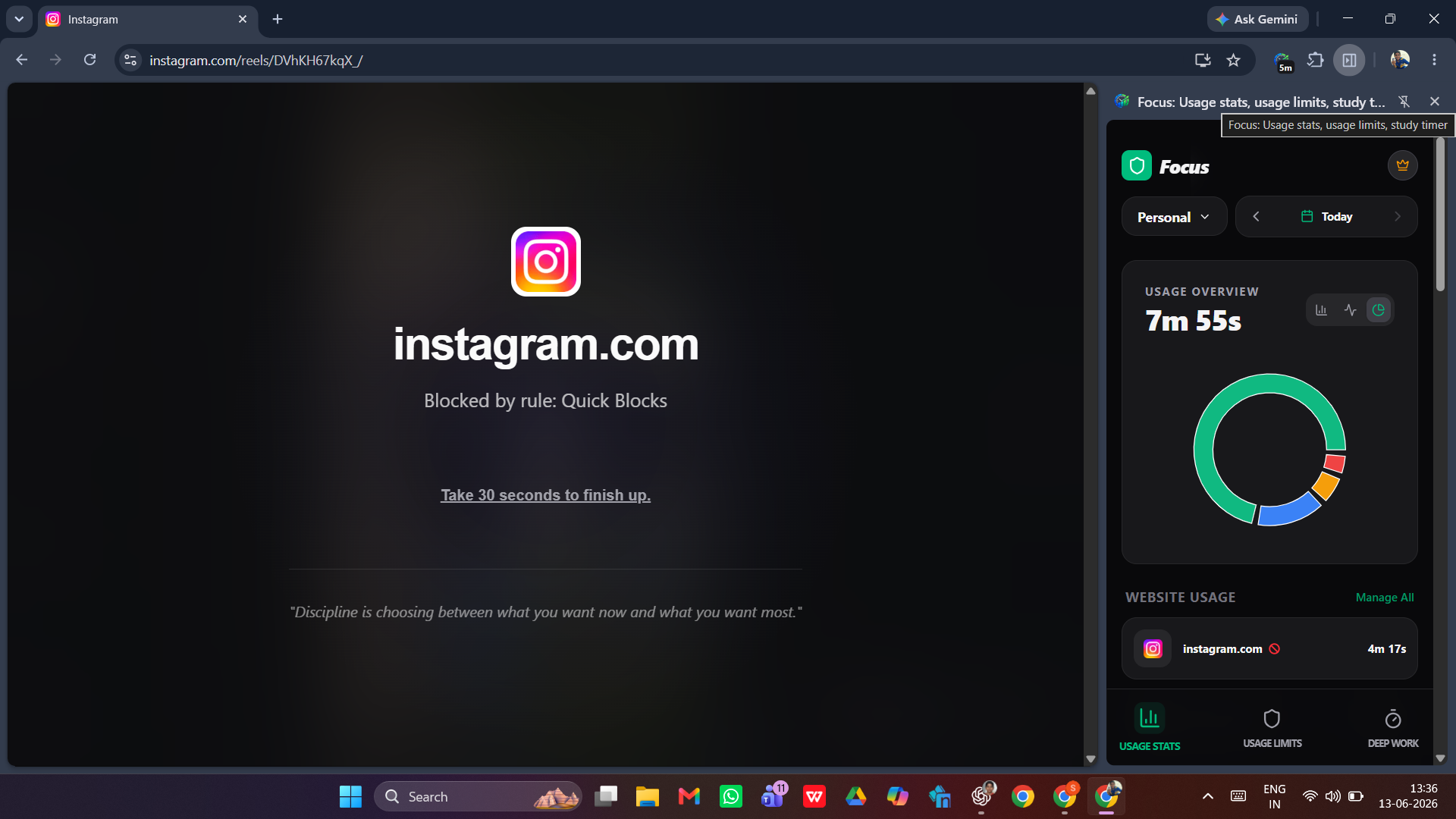
Focus blocks time-wasting sites, silences noise, and keeps you locked in — right inside Chrome, without the fuss.

Add to Chrome — It's Free See how it works

No account needed  ·  No data collected  ·  Instant setup

Drop your screenshot · gif · video · or embed here

Recommended: 1280 × 720px

What Focus does

Built for deep work.

Site Blocking

Block distracting websites on a schedule or on demand. No workarounds, no sneaking back in.

Focus Sessions

Set timed focus sprints. Work deeply, break intentionally, repeat — like a Pomodoro that actually sticks.

Custom Rules

Whitelist the tools you need, block everything else. Your workflow, your call.

Distraction-free Mode

Strips away sidebar clutter, recommendations, and infinite scroll so you see only what matters.

Privacy First

Everything stays on your device. No accounts, no telemetry, no data sent anywhere.

Instant & Lightweight

No bloat. Activates in one click with zero impact on your browser speed.

Simple by design

Up and running in seconds.

01

Install the extension

Head to the Chrome Web Store and add Focus in one click. No sign-up, no email required.

02

Add your blocklist

Type in the sites that steal your time. Focus does the rest — no complicated configs.

Start a session & get to work

Hit Focus. Everything distracting is gone. Just you and the work that matters.

Got questions?

FAQ

Is Focus completely free?
Yes — the core features are free. We may introduce an optional paid plan in the future for power users, but blocking and focus sessions will always be available at no cost.
Does Focus collect any of my browsing data?
Never. Focus operates entirely on your device. No data leaves your browser, no analytics are recorded, and no account is required. Your blocklist and settings live locally.
Can I bypass the block during a session?
That's intentional friction by design. Once a session is active, the block stays in place for the set duration. This helps you build the habit of not caving to impulse.
Which browsers does Focus support?
Focus is currently available for Google Chrome. Support for other Chromium-based browsers (Edge, Brave, Arc) may be added in future updates.
Will it slow down my browser?
No. Focus is intentionally lightweight. It has a minimal footprint and won't affect page load times or Chrome's performance.
How do I report a bug or suggest a feature?
Send a message to vortexim@proton.me. All feedback is read and genuinely appreciated — this extension grows through real user input.

Ready to focus?

Install in one click. Free, private, and built for people who value their attention.

Add Focus to Chrome