How to Stop Opening YouTube Every 10 Minutes While Working
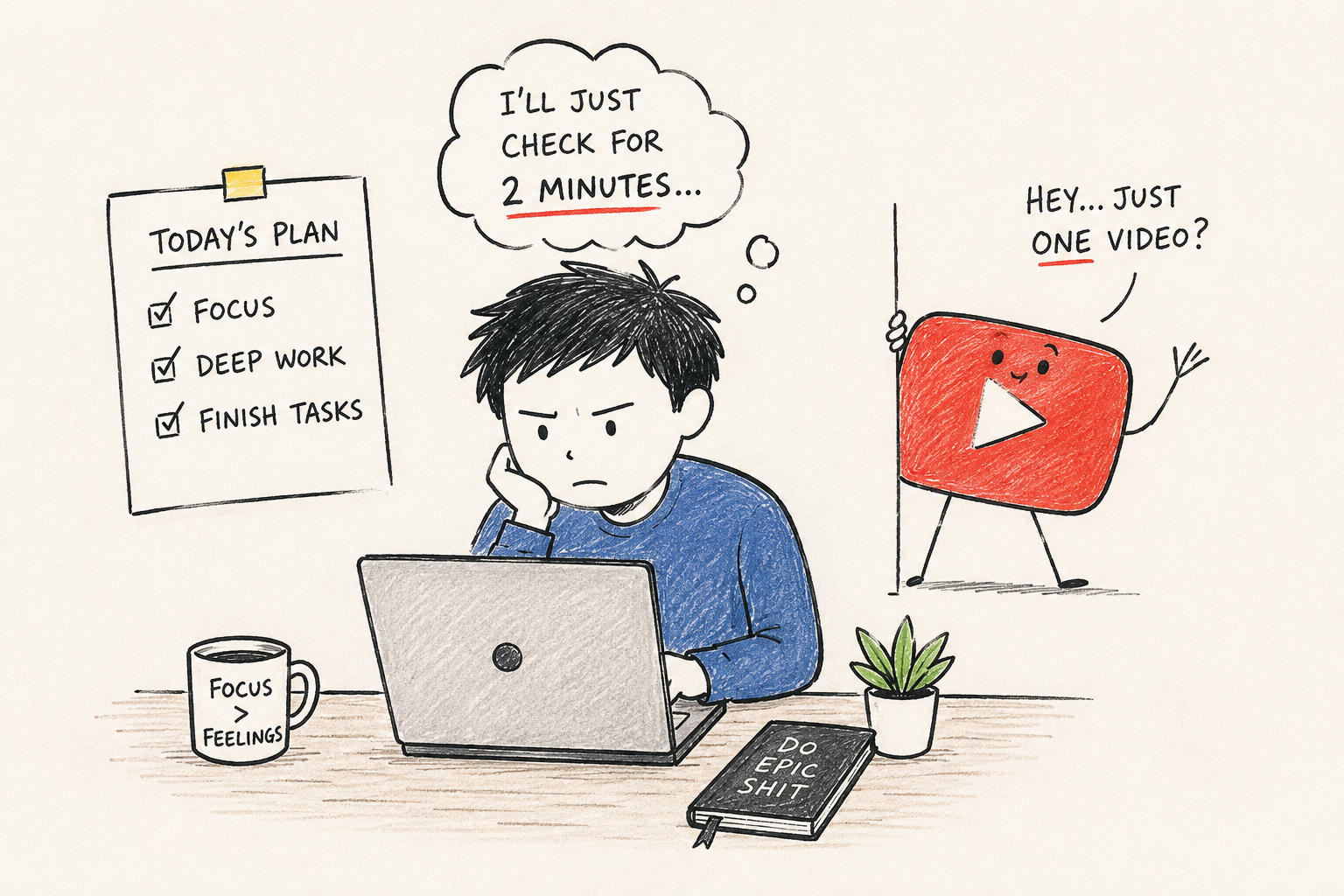
If you keep opening YouTube every few minutes while you’re trying to work, you’re not alone. It can feel automatic—you start a task, get stuck for a moment, and before you realize it, you’re watching videos that have nothing to do with what you were working on.
The good news is that this usually isn’t a lack of discipline. It’s a habit. And habits can be changed.
This article explains why it happens, practical ways to stop it, and where a browser extension like Focus Shield can help without becoming the entire solution.
Why You Keep Opening YouTube
For many people, YouTube isn’t the problem itself. It’s the escape.
You might notice yourself opening YouTube when:
- A task becomes difficult.
- You’re unsure what to do next.
- You’re bored.
- You finish a small piece of work and want a quick reward.
- You instinctively open a new tab without thinking.
Over time, your brain learns a simple pattern:
Difficult work
        ↓
Open YouTube
        ↓
Feel better for a few minutes
Because the reward is immediate, the habit becomes stronger every time you repeat it.
The goal isn’t to rely on willpower. It’s to interrupt this loop.
1. Identify What Triggers You
Before trying to stop the habit, figure out when it happens.
Ask yourself:
- Do I open YouTube whenever I get stuck?
- Do I do it after reading a difficult paragraph?
- Is it worse in the afternoon?
- Does it happen whenever I open a new browser tab?
Knowing your trigger makes it much easier to replace the habit.
Example
Instead of:
“I waste too much time on YouTube.”
Try:
“Every time my coding assignment becomes difficult, I open YouTube.”
That’s a problem you can actually solve.
2. Make Your Next Task Smaller
A surprisingly common reason people procrastinate is that the next step feels too big.
Instead of writing:
Finish the report.
Write:
- Open the document.
- Write one heading.
- Add three bullet points.
Instead of:
Study operating systems.
Write:
- Read pages 42–45.
- Solve Question 1.
Small tasks create momentum.
3. Work in Focused Time Blocks
Your brain doesn’t need endless hours of concentration.
It only needs to focus for a reasonable amount of time before taking a break.
A simple routine looks like this:
- Work for 50 minutes.
- Take a 10-minute break.
- Repeat.
During the work session, avoid switching tasks—even if you feel like checking YouTube.
Knowing a break is coming makes it easier to stay focused.
4. Replace the Habit Instead of Fighting It
Trying to “not open YouTube” often isn’t enough.
Replace that action with something that satisfies the same need.
For example:
| Instead of opening YouTube… | Try… |
|---|---|
| Feeling mentally tired | Stand up and stretch for one minute |
| Feeling stuck | Write down what’s confusing you |
| Feeling bored | Walk around the room |
| Needing a quick reset | Drink water or look away from the screen for a minute |
The replacement doesn’t have to be exciting.
It only needs to interrupt the automatic habit.
5. Use YouTube Intentionally
YouTube is also one of the best learning resources available.
The goal isn’t to stop using it completely.
Instead, change how you use it.
Good example:
Search for “binary search explanation”, watch the video, then return to work.
Less helpful example:
Open YouTube “for one minute” and start browsing recommendations.
Intentional use is very different from mindless scrolling.
How Focus Shield Can Help
Sometimes changing your habits isn’t enough because opening YouTube has become almost automatic.
This is where a browser extension like Focus Shield can help.
Instead of relying on memory or self-control every few minutes, it creates small barriers that make it easier to stay focused.
For example, you can:
Block YouTube During Work Hours
If you know you’ll be working from 9 AM to 12 PM, you can block YouTube during that period.
That removes the temptation before it becomes a distraction.
Set Daily Time Limits
Maybe you don’t want to block YouTube completely.
Instead, you could allow yourself 30 minutes per day.
Once that limit is reached, the extension prevents you from continuing to browse.
This encourages intentional viewing instead of endless sessions.
Track Your Screen Time
Many people underestimate how often they visit YouTube.
Seeing your daily usage can help answer questions like:
- How many times did I actually open YouTube today?
- Which websites consume most of my time?
- Am I improving this week?
Awareness often leads to better decisions.
Use the Built-in Focus Timer
Focus Shield also includes a focus timer that supports structured work sessions.
Rather than checking the clock every few minutes, you can focus on the current session and take breaks at planned intervals.
What Focus Shield Doesn’t Do
It’s important to set realistic expectations.
Focus Shield won’t:
- Make work interesting.
- Fix procrastination by itself.
- Build discipline overnight.
- Guarantee productivity.
It’s simply a tool that makes good habits easier to follow.
The real change still comes from identifying why you’re opening YouTube and building a healthier routine around your work.
Common Mistakes
Trying to quit YouTube completely
YouTube is useful for learning.
The goal is to stop opening it automatically—not to avoid it forever.
Relying only on willpower
If YouTube is always one click away, resisting it dozens of times every day becomes exhausting.
Creating boundaries is usually easier than constantly saying “no.”
Taking breaks whenever you feel like it
Frequent unplanned breaks often turn into long YouTube sessions.
Scheduled breaks work much better.
Making tasks too large
Large, vague tasks create resistance.
Smaller tasks reduce the urge to escape.
A Real-Life Example
Imagine you’re studying for an exam.
You begin solving practice questions.
After Question 2, you get stuck.
Without thinking, you type:
youtube.com
Twenty-five minutes later you’re watching travel videos.
A better approach would look like this:
- Write down exactly what you’re stuck on.
- Spend five more minutes trying to solve it.
- If you still need help, search for that specific topic on YouTube.
- Return to your work after finding the answer.
- Use Focus Shield to prevent casual browsing outside your planned breaks.
The difference isn’t whether you use YouTube.
It’s whether you’re using it with a purpose.
Tips That Work Well Together
- Decide your work hours before you begin.
- Keep today’s task list small and specific.
- Work in focused sessions with planned breaks.
- Use YouTube only for intentional learning.
- Use Focus Shield to reduce impulsive visits during work.
Each strategy supports the others.
Summary
Opening YouTube every 10 minutes usually isn’t a motivation problem—it’s a habit that’s triggered whenever work becomes difficult, boring, or uncertain.
The most effective approach is to:
- Identify what triggers the habit.
- Break work into smaller steps.
- Work in focused sessions.
- Replace the automatic YouTube check with a healthier alternative.
- Use Focus Shield to reinforce your boundaries with website blocking, daily limits, screen-time tracking, and a built-in focus timer.
None of these steps is a magic fix on its own, but together they can make it much easier to stay focused and use YouTube only when it genuinely helps your work.
Further Reading
- Why procrastination happens and how to overcome it
- How to build better digital habits
- Time blocking vs. Pomodoro: Which works better for deep work?
Last reviewed: July 2026. Browser features and extension capabilities may change over time, so revisit this article periodically to ensure the guidance is still up to date.